To move the character (the blue dot), use the WASD keys. To create a zombie (a green dot), click on any part of the black screen. The embedded web version is a little fiddle. Sometimes you need to click on it a few times before it will register your key presses. If it doesn't work for you, or you would rather experience the full desktop experience (because blogger cuts off the screen a bit), click on this link and download the file to play!
You can also check out my code at this link!
Now,onto the progress report...
Starting out, I thought, "wow moving a blue dot and a green dot towards it won't be that hard!" Well, I was mistaken...
Surprisingly, my biggest challenges were BEFORE programming actually began. You see, our IT department doesn't appreciate this thing called "freedom." I wanted to be able to work on my project at school and at home, but our tech department blocks everything, so I could not run my code on our school laptops. I learned that libGDX, the game library I am using, runs off something called Gradle.
Lessons learned by Ryan: GRADLE
Gradle is known as a "dependency-management system." It basically provides an organized way to download libraries that you need in your code off the internet. libGDX is packaged using Gradle, meaning that there is a Gradle file that tells the computer where to download libGDX and how to install it
Since Gradle needs internet access to download libGDX for coding, it is blocked by the school's firewall. I worked around this in two ways. First, I got a big flashdrive to store all my programming files on. I discovered that if I install everything on my flashdrive at my home computer, I could run it and program on my school computer. Second, I used GitHub to sync code between my school computer and my home PC. To do so, I needed to learn command line Git, a version control programming language. Luckily, I found a really helpful website to walk me through the process.
Now that that's out of the way, I could actually start programming, right? Wrong.
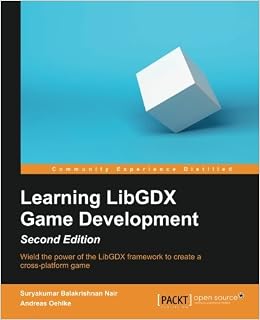
You see, I got this book called Learning libGDX Game Development to help teach me the basics of game development. Turns out, the first step to game development is planning! Whoopdee doo. It is important to make a framework from the beginning so you don't have to waste time fixing things unnecessarily in the future. So, the first day I spent trying to code ended up as a planning day for organizing my project.
The result was the following diagram of classes and functions to organize the code of the game.

Now, finally, coding began. Learning libGDX itself wasn't very bad this week. Most of the commands are pretty simple. For example, to draw in image on a screen, you just write "SpriteBatch.draw(Texture, xCoord, yCoord)." The difficulties were in structuring the code, and thinking of the math behind it. When making the basic game above, I discovered how necessary encapsulation is. 
Lessons learned by Ryan: ENCAPSULATION
Encapsulation is the idea of separating independent aspects of you code into different files. You only let different files, or classes, interact through a specific set of public functions. This way, you can edit one part of your code (the private data) without ruining the functionality of another separate code because the external code only interacts through the public method

As shown in my brainstorming diagram, I encapsulated my WorldController (which dealt with logic), my WorldRenderer (which drew the pretty pictures), and my Zombies into different classes. This really came in handy when I had to modify my Zombie code. I changed the zombie from storing its coordinates as two integers (x and y) to a point object. Yet, because it was encapsulated, my WorldRenderer still functioned perfectly due to the changes being hidden within the Zombie class.
Finally, programming that simple game above required me to learn new math! Hurray! Everything in a video game lies on a coordinate plan. I had to figure out some way to move a coordinate point in a certain direction by a certain amount. Turns out, the best way to do that is with Vectors! (Anyone in Pre-Calc, this is apparently part of our second semester curriculum. Hopefully this is helpful!)
Lessons learned by Ryan: VECTORS
Vectors are a mathematical device used to describe something moving a certain amount in a certain direction. In mathematical terms, these are a vector's magnitude (length) and direction. This is really useful because you can add and subtract vectors just like normal numbers. The link below helps explain vectors pretty easily.
This was really useful for me because libGDX has a Vector2 class to help do vector math! To make zombies move towards the player, I could just create two vectors representing the player and a zombie, then subtract them to get the path a zombie needs to follow to get to the player!
Well, that's the progress report for this week! Next week, I'm hoping to implement bullets and shooting to finish off my "basic mechanics" goal. To that end, I'm going to need your help! If you have any ideas for weapons I should add into the game (i.e. a slow firing sniper, a fast but inaccurate SMG, etc.), please let me know in the comments below! After making these weapons, I'm also going to need people to playtest for balancing. Hopefully I haven't bored you to death, so check in next time for Blog #3.
